
Operator checklist
Pressure-test every vendor against the same scorecard
If a platform cannot connect order capture, dispatch, routing, service proof, and billing in one operating flow, you will feel that gap every day after go-live.
Who this guide is for
This comparison is for owner-operators, dispatch leaders, and operations managers who are actively evaluating a new system, replacing a legacy platform, or trying to connect multiple point solutions into one dependable workflow.
Most software comparisons in this market stay shallow. They list feature names, but they do not explain what a strong workflow actually looks like in a live hauling operation. That is the gap this guide is meant to close.
Comparison table: what a strong waste software platform should do
| Area | What good looks like | Questions to ask in the demo |
|---|---|---|
| Order capture | Calls, texts, web orders, and internal requests all land in one queue with clean customer context. | Ask the vendor to show a new order moving from inquiry to scheduled work without re-keying data. If they cannot, expect leakage. |
| Dispatch and routing | Dispatchers can assign work by line of business, route boards stay current, and route changes reach drivers immediately. | Have them show a same-day add-on, a missed stop, and a delayed driver. garbage route planner questions should not require a second product. |
| Billing | Completed work becomes invoice-ready without spreadsheet cleanup, and surcharges or overages are traceable. | Ask what happens when weight, contamination, wait time, or extra pulls need to be billed after service. |
| Container and asset tracking | Teams can see where containers are, how long they have been out, and what revenue they are generating. | A vendor should be able to connect field inventory to container utilization calculator style decisions. |
| Reporting | Managers can see revenue per route, response time, overdue containers, missed pickups, and quote conversion without manual exports. | Ask to see weekly operating reviews, not just dashboard screenshots. |
A serious evaluation process needs both fit and execution. Fit means the product matches your lines of business. Execution means your team can adopt it without stalling dispatch or billing.
The workflows that matter most
1. Intake and quoting
The first test is whether the platform captures demand cleanly. A strong system should handle inbound calls, after-hours requests, web leads, and follow-ups in one place. This is where AI order taking matters: it helps teams answer faster, capture more context, and stop leaking revenue before a dispatcher even sees the order.
If your sales and service requests still start in voicemail, sticky notes, or disconnected inboxes, you should model that leak with the ROI calculator before you compare subscription prices.
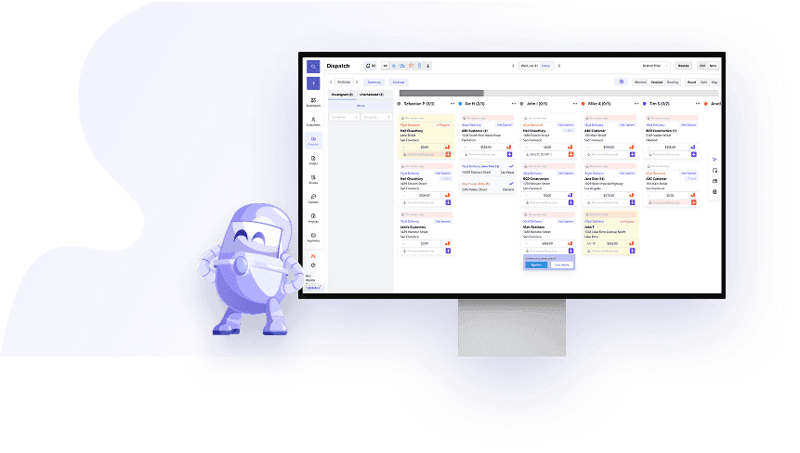
2. Dispatch, service proof, and exceptions
Waste operations do not fail because the happy path is hard. They fail because exceptions are hard. Locked gates, overloaded boxes, same-day swaps, route resequencing, and customer callbacks all need a system of record. If a vendor only demos the ideal workflow, push harder.
For route-heavy operators, the system should naturally support the same decisions you would review with a route profitability calculator. That means stop count, drive time, driver hours, and margin all need to be visible together.
3. Billing and collections
Many haulers underestimate how much value is lost between service completion and invoice creation. If the driver app, dispatch record, and billing logic do not stay aligned, the accounting team ends up rebuilding jobs after the fact.
When a platform is working well, variable charges like overages, contamination, waiting time, dry runs, and disposal passthroughs are documented once and then flow into the invoice without cleanup.
4. Reporting and operating cadence
Good software reduces ambiguity in weekly operating reviews. You should be able to inspect quote conversion, route profitability, dwell time, missed pickups, disputed charges, driver productivity, and customer response speed without exporting five CSV files.
This is where strong waste hauler software creates leverage: it does not just digitize the business, it lets managers run tighter routines.
How to run a disciplined buying process
- Document the three workflows that currently create the most revenue leakage or admin drag.
- Separate must-have workflows from nice-to-have analytics or automation.
- Ask every vendor to show the same real-world scenarios with your terminology and pricing model.
- Score implementation risk explicitly: data cleanup, training load, line-of-business fit, and billing migration.
- Model payback with the ROI calculator instead of treating all tools as interchangeable SaaS spend.
The most common buying mistake is over-indexing on feature breadth and under-indexing on operational reliability. If a product has one hundred settings but your dispatchers cannot trust it during a busy day, you did not buy leverage. You bought friction.
Red flags to watch for
Be cautious when a vendor treats waste hauling like generic field service. Waste operators need different logic around route density, service exceptions, disposal charges, recurring work, and container inventory.
Also be cautious when a vendor requires several separate modules or external tools just to cover quoting, dispatch, driver proof, and billing. The more handoffs you preserve, the more re-keying and dispute risk you preserve too.
Frequently asked questions
What is the best waste management software for haulers?
The best system is the one that supports your exact lines of business, dispatch rhythm, billing model, and service exceptions. Compare platforms by workflow quality, not feature count alone.
How should I compare software pricing?
Compare total operating impact, not just monthly subscription price. Include implementation, training, admin hours saved, revenue captured, and fuel or routing savings in the model.
How long does implementation usually take?
Core launches often take weeks, but clean implementation depends on data cleanup, staff training, pricing complexity, and how many lines of business you are migrating.
What should I ask on a software demo?
Ask vendors to show real intake, dispatch exceptions, proof of service, invoice generation, and reporting. If they only show polished dashboards, you are not seeing the hard parts.
What to do next
Run your current operation through the ROI calculator, then compare that model against each vendor's implementation plan. After that, review the actual workflow depth on our waste hauler software page, explore the garbage route planner hub, and use the invoice templates if you want to standardize quoting and billing while you evaluate platforms.